
List property on Airbnb by creating a host account, providing property details, uploading photos, setting pricing, and publishing your listing. The complete process takes 60-90 minutes of active time, and your listing appears in Airbnb search results within 24-72 hours after publishing.
Over 8 million properties list on Airbnb globally, with hundreds of thousands across the UK. Understanding the full process, the requirements specific to UK hosts, and a few optimisation choices upfront makes the difference between a listing that sits quietly and one that starts attracting bookings within its first week.
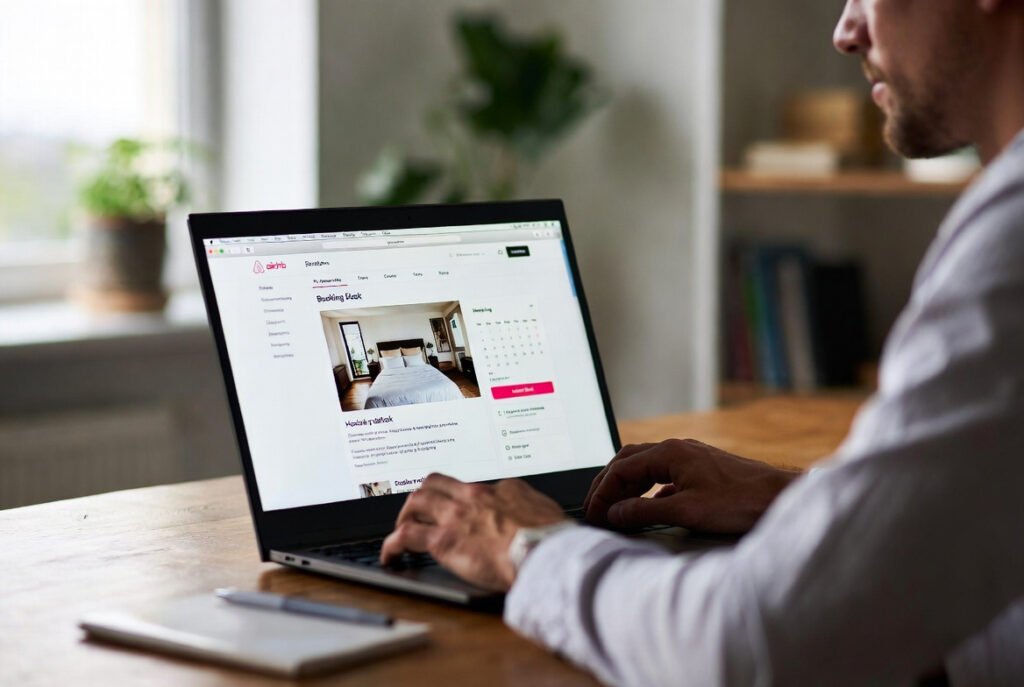
What You Need Before Listing on Airbnb
Get these sorted before you start the listing itself, so the process runs smoothly without interruptions partway through.
Permissions and insurance. Contact your mortgage lender or landlord before listing. Most residential mortgages prohibit short-term letting without explicit permission, and listing without it breaches your mortgage terms. Standard home insurance doesn’t cover paying guests either, so you’ll need specialist Airbnb host insurance covering public liability, property damage, and loss of income before accepting your first booking.
UK regulations by location. London properties face the 90-night rule, limiting whole-home short-term letting to 90 nights annually without planning permission. Scotland requires mandatory short-term let licensing through local councils, including safety certificates and proof of insurance. Wales and Northern Ireland have their own local authority requirements, so it’s worth checking with your council directly.
Property preparation. Your property needs working smoke alarms on every floor, carbon monoxide alarms in any room with gas appliances, and ideally a fire extinguisher and first aid kit accessible to guests. Beyond safety, it needs to actually look and feel guest-ready: hospitality-level cleanliness, fresh linen (three sets per bed is a reasonable minimum), two towel sets per guest, and reliable WiFi, heating, and hot water. A professional Airbnb cleaning service before your first photos helps the property both look its best and meet the standard guests expect from day one.
House rules, drafted in advance. Decide your check-in and checkout times, maximum guest capacity, and your position on smoking, pets, and parties before you list rather than figuring it out after a booking request arrives.
Information to have ready. Gather your exact address and postcode, property type, bedroom and bathroom count, bed types, and parking details. Take 15-20 photos showing every room guests can access, ideally in daylight with clutter removed. Spend some time researching 10-15 similar properties in your area to understand realistic pricing before you set your own rate.
Allow two to four weeks total for this preparation stage, factoring in permissions, photography, and getting the property itself ready.
How to Create Your Airbnb Host Account
Visit airbnb.com and click “Airbnb your home” in the top right corner. You can create a new account using an email address, Facebook, Google, Apple ID, or phone number, or simply sign in if you already have a guest account, which converts automatically to include hosting.
Airbnb requires identity verification for all hosts: a government-issued photo ID and a selfie that matches it. This typically completes within 24 hours, and you can start building your listing while it processes, though you won’t be able to publish until verification is complete. The whole account setup takes five to ten minutes.
How to Build Your Listing Step by Step
Airbnb’s listing wizard walks you through everything in a fairly logical order, and most of it takes only a few minutes per section.
Property type and space. You’ll first choose what kind of property you’re listing (apartment, house, unique space, and so on), then decide what guests actually get access to. Most listings offer the entire place, where guests have the property to themselves and you don’t stay during their visit. Private room listings work well for spare room hosting, where guests get a bedroom but share common areas with you. Shared rooms are the least common option, typically dormitory-style.
Location and capacity. Enter your full address and pin the exact location on the map. Guests see the general area before booking and only get your precise address once a booking is confirmed. You’ll then specify maximum guest count, number of bedrooms, beds, and bathrooms, along with bed types for each room (king, queen, double, single, sofa bed, or bunk). Getting this accurate matters because it’s how guests judge whether your space actually suits their group.
Amenities. Airbnb gives you a long list to work through. WiFi, kitchen access, heating, and hot water are essentially expected at this point, while extras like parking, a washing machine, or a hot tub genuinely increase booking appeal. Only tick what you actually have. Listing something that turns out not to be there is one of the fastest ways to earn a poor review, regardless of how good the rest of the stay was.
This section also covers which spaces guests can use (kitchen, garden, laundry room) and the safety amenities Airbnb expects you to confirm, including smoke alarms, carbon monoxide alarms, a first aid kit, and a fire extinguisher.
Photos. Airbnb technically requires a minimum of five photos, but listings with 15-20 high-quality images consistently perform better. Your cover photo matters most since it’s what appears in search results, so choose your strongest, best-lit shot, ideally something that shows the property’s best feature rather than just a generic room.
Photograph every room a guest can access, from a few different angles each, and take everything during the day with curtains open and lights on. Remove personal items completely before shooting, and avoid anything blurry, overly filtered, or shot at an angle that exaggerates the size of a room. A sensible order to upload in is your cover shot, the main living space, the primary bedroom, the kitchen, the bathroom, then any remaining bedrooms and outdoor areas. You can drag and reorder afterward if needed.
Title and description. Your title has a 50-character limit and appears right next to your cover photo in search results, so it needs to do real work. Something like “Bright 2-Bed Flat Near Tower Bridge” tells a guest far more than “Nice Apartment in London” ever could. Include your location landmark, property type, and one standout feature if you can fit it.
The description (500 characters initially, expandable later) is your chance to actually sell the place. Lead with whatever makes it distinctive, describe the layout and sleeping arrangements honestly, mention standout features like fast WiFi or a private garden, and close with nearby transport or neighbourhood character. Avoid clichés like “home away from home,” steer clear of all caps or excessive exclamation marks, and never exaggerate size or proximity to something. Guests notice immediately when reality doesn’t match the listing, and it shows up in reviews.
House rules. Set your check-in and checkout times (3pm or 4pm check-in, 10am or 11am checkout are common defaults), maximum guest numbers, and your stance on smoking, parties, and pets. Keep the list reasonable. Overly long or unusual rules tend to put people off booking rather than protecting your property any better.
Pricing. Airbnb suggests a rate based on similar local properties, your amenities, and seasonal demand, which is a reasonable starting point. For your first three to five bookings, pricing 10-15% below that suggestion tends to generate reviews faster, after which you can move up to match the market. Weekend pricing 20-30% higher makes sense in tourist-heavy areas, and offering 10% off for week-long stays or 15-20% off for month-long stays encourages longer bookings that mean less frequent cleaning and turnover for you.
Most hosts also charge a separate cleaning fee (typically £40-£60 for a studio or one-bed, rising to £80-£120 for a three-bed), an extra guest fee if numbers exceed your base count, and a pet fee if you allow animals.
Calendar and booking settings. Decide how much advance notice you need before a guest can check in (two days is a common middle ground), how far ahead your calendar opens for bookings (twelve months captures the most early planners), and your minimum stay length, which most hosts set at two nights, dropping to one during quieter periods.
Instant Book, which lets guests reserve immediately without your approval, ranks higher in search and converts more bookings, but gives you less control over who’s staying. New hosts often start without it until they’ve built up ten or so positive reviews and a feel for hosting, then switch it on once they’re comfortable.
How to Publish Your Listing
Before publishing, go back through everything once: bedroom and bathroom counts, amenities, photo accuracy, description, pricing, and house rules. Airbnb then reviews your listing against its quality and content standards, along with relevant local regulations.
Most listings get approved within 24 hours, though some take up to 72. Delays usually come down to missing information, photos that don’t meet quality thresholds, or a policy conflict somewhere in the listing, all of which Airbnb will flag clearly if they come up. Once approved, your listing typically appears in search results within another 24-72 hours.
UK Regulations Worth Understanding Properly
London’s 90-night rule caps whole-home short-term letting at 90 nights per calendar year without planning permission, and Airbnb doesn’t enforce this limit automatically, so it’s on you to track it. Exceeding it without permission risks fines of up to £20,000. The limit doesn’t apply if you’re hosting a spare room while living in the property yourself. Planning permission to exceed 90 nights costs £500-£2,000 and takes a minimum of eight to twelve weeks to process.
Scotland requires a short-term let licence from your local council for every listing, which has required public liability insurance, gas and electrical safety certificates, and proper fire safety measures since October 2022. Operating without one is a criminal offence.
Council tax and business rates can shift depending on how often your property is available for short-term letting, and standard home insurance becomes invalid the moment you accept paying guests, so specialist short-term let insurance covering public liability, buildings and contents, and loss of rental income is essential rather than optional.
Frequently Asked Questions
How long does it take to list property on Airbnb?
Creating and publishing a listing takes 60-90 minutes of active time. Preparation beforehand, sorting permissions, taking photos, and gathering information, usually takes two to four weeks. Once published, your listing appears in search results within 24-72 hours.
Can I list my property on Airbnb for free?
Yes. There are no upfront, listing, or monthly fees. Airbnb earns its money through commission once a guest actually books, typically 3% from the host and around 14% from the guest under the standard split-fee structure.
Do I need permission from my mortgage lender to list on Airbnb?
Yes, in almost every case. Most residential mortgages prohibit short-term letting without explicit written permission from the lender, and hosting without it breaches your mortgage terms and risks the loan being recalled.
What photos do I need for my Airbnb listing?
Five photos are technically the minimum, but listings with 15-20 high-quality images consistently do better. Cover every room guests can access, shoot in daylight, and make sure the property is properly clean and decluttered first.
How do I price my Airbnb listing competitively?
Look at 10-15 similar properties in your area and price within around 10% of the median. For your first few bookings, going 10-15% below that average tends to bring in reviews faster, after which you can move toward the standard market rate.
Can I edit my listing after publishing?
Yes, anytime. Photos, description, amenities, pricing, availability, and house rules can all be changed through your listing editor. Most changes take effect immediately, though pricing updates can take a few hours to show across the platform.
What’s the difference between Instant Book and manual approval?
Instant Book lets guests reserve immediately without waiting for your approval, which ranks higher in search and converts more bookings, but means less control over who stays. Manual approval requires you to accept or decline each request individually. Most new hosts start with manual approval and switch once they’re more comfortable.
Final Thoughts
Listing on Airbnb takes an hour or so of actual form-filling, but the quality of what you put into that hour, sharp photos, an honest and specific description, sensible pricing, determines whether your listing gets booked quickly or sits unnoticed. UK hosts have a bit more groundwork to do first: lender permission, proper insurance, and an understanding of local rules like London’s 90-night limit or Scotland’s licensing scheme.
Get the preparation right, and your first booking typically arrives within one to fourteen days of going live. From there, it’s largely about maintaining the standard you promised in those photos, which is where consistent, professional cleaning between guests does a lot of quiet, unglamorous work in keeping your reviews where you want them.
Airbnb Cleaners London provides professional Airbnb cleaning and turnover services across Greater London, helping hosts maintain the standards that turn first bookings into five-star reviews. We cover Canary Wharf, Tower Hamlets, Westminster, Kensington, Chelsea, Hackney, Camden, Southwark, Lambeth, and the surrounding areas.